
Opening soon
Clinic software built for Indian practices
ClinicDrs is being prepared for launch. Add your clinic to the priority list and we will get in touch when onboarding opens in your area.

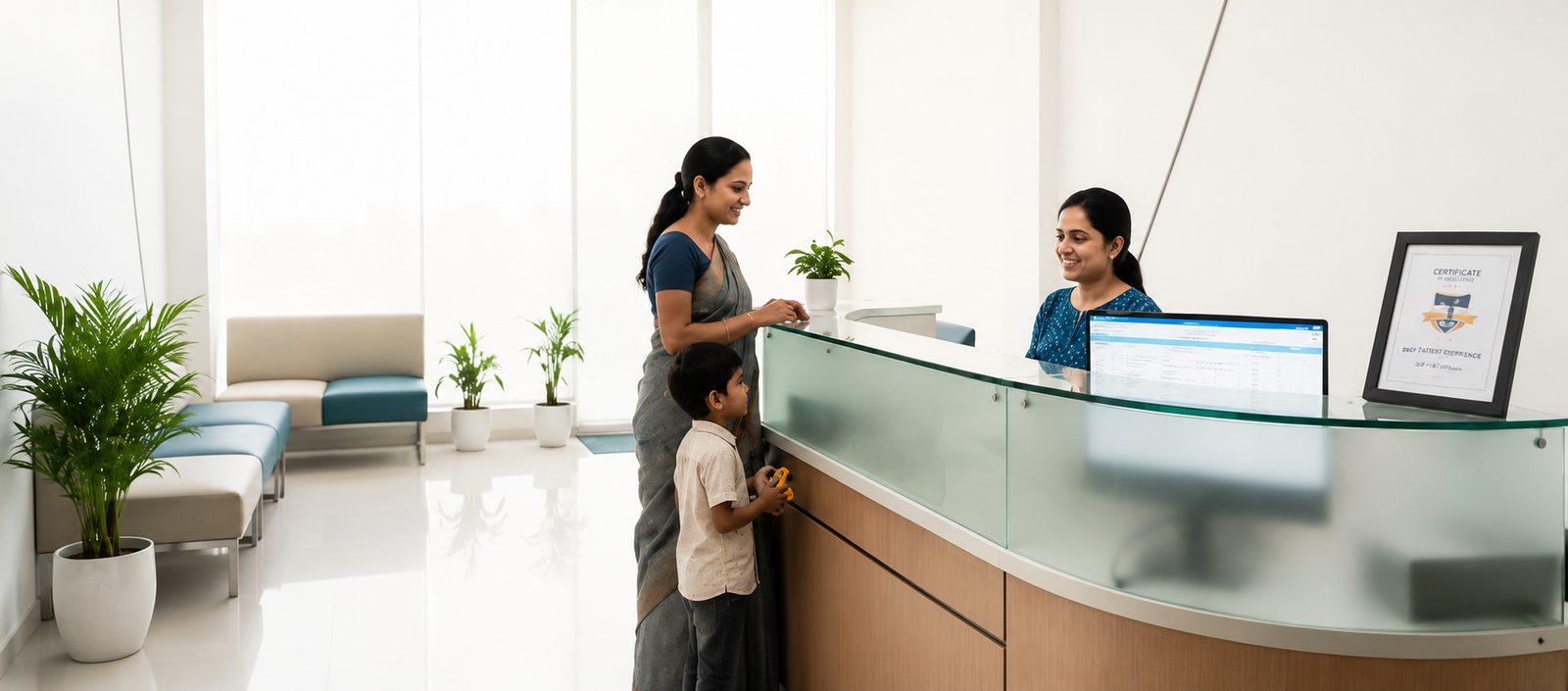
The certification note in the image above is our own statement of our compliance position — not an approval or certification issued by any government body.
Healthcare, Reimagined.One Intelligent Platform for Every Clinic.
Manage appointments, EMR, billing, pharmacy, laboratories, patient communication, analytics, and AI-assisted workflows - all from one secure cloud platform.
30-day free trial · No card required
Too many moving parts.One connected operating system.
One patient. One connected path through your clinic.
Appointment
Booked online or by WhatsApp — no phone tag, and reception sees it on the daily list automatically.


Built around how your team actually works.
For the doctor
- Patient record — history, notes and prescriptions — already loaded before the consult starts.
- Specialty exam worksheets and SOAP/Rx templates for the specialty you practise.
- Digital prescriptions with medicine favourites, sent to the patient over WhatsApp.
- Less time on paperwork between patients, more time actually seeing them.
Everything your front desk needs
From the first token to follow-up day - reception, doctors, and billing stay on one workflow.
Live token board with call, consult, and bill - plus a public TV display.
Day-closing and appointment confirms in one reception surface.
Find or register by phone in seconds with clinical profile.
Online and walk-in scheduling with WhatsApp confirm links.
Specialty templates and favourites with WhatsApp share.
Due-today and overdue worklists with auto reminders.
Bundle consults, procedures, and medicines into named packages.
One-click invoice, GST-ready receipts, and daily settlement reports.
Confirms, follow-up nudges, and broadcast campaigns from one number.
19 OPD specialties, ready to enable
Each specialty ships with exam worksheets, SOAP & Rx templates, and package plans - activate only what your clinic needs.
See dedicated vs shared specialty depthAll of them are included on every plan. Depth varies by specialty (dedicated, hybrid, or shared).
Built with clinic data protection in mind
DPDPA-compliant, in line with India’s Digital Personal Data Protection Act, 2023. These are the verified controls in the product today — see the Privacy Policy for full detail.
Role-based access
Staff sign in with their own phone number and PIN, scoped to what their role needs to see.
Audit logging
Clinic activity is logged to support DPDPA compliance review.
Data export & deletion
Patient data export and deletion requests are supported in line with DPDPA.
Offline-safe sync
Front-desk actions queue locally if the connection drops, and sync automatically once it’s back — nothing is lost.
WhatsApp via official Cloud API
Reminders, receipts, and confirmations are sent through Meta’s official WhatsApp Cloud API.
Managed cloud infrastructure
Hosted on DigitalOcean App Platform (Bangalore) with managed PostgreSQL.
ClinicDrs is DPDPA-compliant. It is not HIPAA-certified, ISO-certified, or independently security-audited at this time.
What are missed follow-ups costing you?
Every patient who doesn't come back for a follow-up is revenue your clinic already earned once.
60 patients/day × 20% missed follow-ups
₹1,24,800/mo
estimated revenue walking out the door — ~312 of 1,560 monthly visits never come back for the follow-up they need.
Rough estimate for illustration. ClinicDrs's Revenue Leakage report computes your clinic's real number from actual visit data.
See it live — try the demo clinicSet up in minutes, not weeks
- 1
Tell us about your clinic
Specialty, staff, and branch details.
- 2
Configure workflows & staff
Roles, PIN logins, and templates set up for you.
- 3
Import existing data
Bring across patients and appointments where available.
- 4
Train your front desk
A guided walkthrough — no IT team required.
- 5
Go live
30-day free trial, with live support during your first weeks.
Replace with a verified customer testimonial, quoted and attributed with the clinic’s explicit permission on record. No placeholder name, clinic, rating, or quote should ship to production.
Every feature, every plan
No feature is locked behind a higher tier. Plans differ by clinic size, and you pay for AI and patient messaging only when you use them.
- Every feature · all 19 specialties
- 1 doctor · 3 staff
- 200 WhatsApp + 25 AI consults/mo
- Top up only if you need more
- Every feature · all 19 specialties
- Up to 4 doctors · 10 staff · 1 branch
- 500 WhatsApp + 120 AI consults/mo
- Top up only if you need more
- Every feature · all 19 specialties
- Up to 8 doctors · 25 staff · 3 branches
- 1,200 WhatsApp + 350 AI consults/mo
- Top up only if you need more
If you go past what’s included
- Extra AI consult
- ₹12
- Extra WhatsApp message
- ₹0.35
- Broadcast / marketing message
- ₹2.50
Usage is prepaid — buy credits when you want them and messages pause if you run out. Nothing is ever billed to you without you buying it first. All prices exclude applicable taxes.
Frequently asked questions
Detailed answers on product, setup, queue, appointments, prescriptions, billing, WhatsApp, ABDM, pricing, and security — with step-by-step instructions.
Showing 43 of 43 questions
Product
What is ClinicDrs?
ClinicDrs is a clinic operating system for outpatient (OPD) medical practices in India. One product covers the front desk, doctor consult, digital prescription, billing, WhatsApp patient messaging, follow-ups, specialty worksheets, ABDM/ABHA linking, and multi-branch staff — so reception, doctors, and the owner are not jumping between five apps.
ClinicDrs is software for licensed clinics and doctors. It is not a hospital, not a public doctor directory, and not a medical device — the treating physician remains responsible for clinical decisions.
Is ClinicDrs a healthcare / medical clinic platform?
Yes. ClinicDrs is healthcare software for medical clinics and licensed doctors in India — outpatient consultations, prescriptions, appointments, queue tokens, billing, and clinic operations.
It is not a walk-in hospital and not a consumer “find a doctor” marketplace. Patients use ClinicDrs only when your clinic invites them (WhatsApp links, check-in QR, teleconsult join links).
Who builds and operates ClinicDrs?
ClinicDrs is a product of WeMoDa Solutions Pvt Ltd, built for Indian OPD clinics. Support and commercial contact: [email protected]. WeMoDa Solutions Pvt Ltd is headquartered in Chennai, Tamil Nadu, India.
Who is ClinicDrs for?
Solo practitioners, multi-doctor clinics, and small multi-branch groups that run OPD — general practice, dental, physio, pediatrics, dermatology, ENT, orthopedics, gynecology, ophthalmology, cardiology, diabetology, and other specialties in the catalog. Front-desk staff, doctors, and clinic admins each get a role-scoped workspace.
Is ClinicDrs an inpatient hospital EMR or a public hospital?
No. ClinicDrs is built for outpatient clinic operations (tokens, appointments, consults, Rx, billing). It does not replace a full inpatient hospital HIS, and ClinicDrs.com is not a physical hospital or walk-in facility.
Getting started
Is there a free trial?
Yes. Every plan includes a 30-day free trial with no card required, so you can run real clinic workflows before paying.
- Open clinicdrs.com and choose Start free trial (or Create clinic).
- Enter clinic name, your name, phone, and set a PIN / password for the admin account.
- Complete the short onboarding: specialties, hours if asked, and first staff/doctor if you add them now.
- Sign in on the front-desk device and issue a test token for a sample patient to confirm the queue works.
- Invite other staff from Settings → Manage Staff when you are ready — they get their own login.
What should we configure before the first real OPD day?
Treat day one as a short checklist, not a multi-week IT project. You can deepen branding, WhatsApp, and ABDM after patients are flowing.
- Confirm clinic name, phone, and address under Clinic branding / clinic profile.
- Add doctors and front-desk staff under Manage Staff; each person gets a role (admin, doctor, receptionist).
- Turn on the specialties you actually practise under Settings → Specialties.
- Set services & prices (consultation fees) under Services & prices.
- Set clinic hours and visit types if you take appointments.
- Print or bookmark the patient self check-in QR and waiting-room display QR from Settings (Clinic setup).
- Optional: connect WhatsApp/MSG91 on the platform side with WeMoDa if message delivery is required on day one.
- Optional: open ABDM / ABHA setup when you are ready for digital health IDs — it is not required to run tokens and Rx.
What devices does ClinicDrs run on?
ClinicDrs is a web app. Use Chrome or another modern browser on a front-desk PC, laptop, or tablet. Doctors can use a laptop or tablet in the consult room. The waiting-room display is a dedicated URL opened full-screen on a TV or monitor.
No separate desktop installer is required. Install to home screen / PWA is supported where the browser allows offline token drafts.
How do staff roles work (admin, doctor, receptionist)?
Each login is a staff member with a role. The role decides which screens and writes are allowed — for example only clinical roles write prescriptions; reception issues tokens and takes payments; admin manages clinic settings, staff, and billing plans.
- Sign in as clinic admin.
- Open Settings → Manage Staff (or the Staff quick link).
- Add a person with name, phone, role, and credentials.
- Ask them to sign in on their device; Active sessions under Settings lists every signed-in device.
- If a phone is lost, open Active sessions → Sign out on that device — it is revoked on the next request.
Pricing & plans
How much does ClinicDrs cost?
Plans start at ₹699/mo for a single doctor (Solo), ₹1,499/mo for clinics up to four doctors (Clinic — most popular), and ₹3,499/mo for groups up to eight doctors across three branches (Group). Larger groups and hospital chains are priced by hand — talk to us at [email protected].
Every plan includes every feature — the tiers differ by clinic size (doctors, staff, branches) and monthly WhatsApp / AI consult allowances, not by locking modules. AI consults (ambient scribe and voice-to-prescription) and WhatsApp messages include a monthly allowance and are charged only beyond it. All prices are exclusive of applicable taxes. All plans include a 30-day free trial with no card required.
Do cheaper plans remove specialties, WhatsApp, or ABDM?
No. Paid plans carry the whole product: specialties, queue, Rx, billing, WhatsApp messaging features, AI consult tools, analytics, inventory, packages, broadcast, and ABDM capability. Size limits (how many doctors / branches) and monthly message / AI allowances change by tier.
How do I upgrade or manage subscription billing?
Clinic admins manage the subscription inside the product.
- Sign in as admin.
- Open Settings → Subscription & Billing (or the Subscription quick link).
- Review the current plan, usage (WhatsApp / AI), and available tiers.
- Choose upgrade / pay with the on-screen payment flow (Razorpay where configured).
- Confirm the new limits appear on the Subscription page after payment succeeds.
Front desk & queue
How do we issue a walk-in token for a patient?
Reception runs the day’s OPD from the Queue screen.
- Open Queue from the bottom navigation (or sidebar).
- Tap New token / Add patient.
- Search by phone or name; if the patient is new, enter name, phone, gender/age as required, and save.
- Confirm the doctor / visit type if prompted, then issue the token.
- Hand the token number to the patient (and optionally send the WhatsApp alert if messaging is connected).
- Move the token through waiting → in consult → done as the doctor progresses.
How does patient self check-in QR work?
Patients can scan a clinic QR at the entrance to start check-in on their phone, reducing desk typing for returning visitors.
- As admin or reception, open Settings and expand Clinic setup.
- Open Patient self check-in QR.
- Print or display that QR at the entrance.
- Patient scans → follows the on-phone flow → front desk sees them arrive on the queue / register path your clinic uses.
Self check-in does not replace clinical registration rules your clinic still enforces at the desk (ID, consent, fees).
How do we run the waiting-room display board?
A dedicated display URL shows live token status on a TV so patients can see whose turn is next.
- Open Settings → Clinic setup → Waiting-room display QR / link.
- Open the display URL on the TV browser (fullscreen / kiosk mode recommended).
- Keep the front-desk Queue app updating tokens as usual — the board follows live updates.
Does ClinicDrs work without internet?
Yes for critical front-desk continuity. If the front-desk device loses internet, ClinicDrs can queue create/update actions such as new tokens locally and sync them automatically once the connection returns, so reception can keep issuing tokens through an outage.
Deep features that need the server (live WhatsApp send, ABDM OTP, online payments) wait until connectivity returns. Check Settings → Offline capabilities for what your build supports.
Appointments
Can clinics book doctor appointments in ClinicDrs?
Yes. Reception books walk-in tokens and scheduled doctor appointments on one operational surface; patients can receive WhatsApp confirmation links when messaging is connected.
- Open Appointments (or book from Queue / patient chart where your role allows).
- Choose doctor, date, and slot / visit type.
- Select or create the patient.
- Save the appointment — it appears on the schedule and can feed the day’s queue.
- If WhatsApp is live, send or allow the confirmation / reminder templates your clinic uses.
How far ahead can patients be pre-booked?
Admins set the maximum pre-book window in Settings.
- Sign in as admin.
- Open Settings → Booking & follow-ups → Appointment booking.
- Set Max pre-book days (clinic policy — for example 14 days).
- Save. Reception will only offer slots inside that window.
Consultations & prescriptions
Does ClinicDrs support medical consultations and digital prescriptions?
Yes. Doctors record medical consultations (SOAP / specialty exam worksheets) and issue digital prescriptions with allergy awareness on the chart. ClinicDrs is a clinic management tool, not a medical device — clinical judgement stays with the treating physician.
- Open the patient from Queue (call next / open chart) or Patients.
- Use the consult / notes area for chief complaint, exam, and assessment (specialty worksheets appear when that specialty is enabled).
- Open the prescription builder; add medicines, dose, frequency, duration.
- Review allergy warnings if shown; correct the list under Patient details & setup if needed.
- Save / issue the Rx; print or share via WhatsApp when connected.
How does voice-to-prescription / ambient scribe work?
AI consult tools help draft notes or structure a prescription from speech. They consume the plan’s monthly AI consult allowance (then metered top-ups). Always review the draft before signing the clinical record.
- Open the patient consult / Rx screen as a clinical user.
- Start the voice or ambient scribe control your build shows.
- Speak the history / plan; wait for the draft to appear.
- Edit anything incorrect — do not accept AI text blindly.
- Save the note or Rx as you would a manually typed entry.
AI output is assistive. It does not replace the doctor’s responsibility for the final prescription.
Can doctors save prescription templates?
Yes. Common regimens can be saved as templates so the next similar visit is faster.
- From a completed Rx or Settings → Prescription templates, create a template with the usual medicines and instructions.
- On a later visit, open Rx → apply the template → adjust for this patient → save.
Patients & records
What is on a patient chart in ClinicDrs?
The chart holds visits, prescriptions, clinical notes, labs/imaging attachments, follow-ups, family links, files, billing history, and (when enabled) ABHA / consent. Day-to-day visit work stays in the tabs; one-time setup (ABHA, allergies editor, consent) lives under Patient details & setup so it does not bury the visit tabs.
- Open Patients → search → open the record (or open from a queue token).
- Use Visits / Timeline / Rx / Notes / Labs / Follow-ups tabs for care history.
- Tap Patient details & setup to expand ABHA linking, consent, and clinical profile fields when you need them.
How do we record patient allergies?
Clinical staff maintain allergies on the patient chart so Rx warnings have something to check against.
- Open the patient chart as a clinical role.
- Expand Patient details & setup.
- Use the structured allergy editor and/or allergy tags.
- Save. Future prescriptions can surface conflicts against this list.
Can we link family members (parents, children) on one phone?
Yes. Clinics often register a child against a parent’s phone. The patient’s Family tab supports linking members and dependents without their own phone.
- Open the patient → Family tab.
- Add / link by phone, or use Add dependent when the person has no phone.
- Confirm the relationship. Either chart can then be opened from the linked list.
How do we honour a patient data export or erase request (DPDPA)?
ClinicDrs includes DPDPA-oriented export and erase actions on the patient chart for authorised staff. Treat these as irreversible clinic policy actions.
- Verify the requester’s identity per your clinic’s DPDPA process.
- Open the patient chart.
- Use Export (DPDPA package) to download what the product packages for that patient.
- Only if policy requires deletion: use the erase / confirm erase flow and acknowledge the warning — visits, bills, and Rx for that record are removed as implemented.
See Settings → DPDP Compliance and the Privacy Policy for organisational duties beyond the button click.
Billing & pharmacy
How do we bill a consultation or pharmacy items?
Billing creates invoices against services, packages, and pharmacy lines configured for the clinic.
- From Queue or the patient chart, open Billing / create invoice.
- Add consultation fee, procedures, or pharmacy items from your catalogue.
- Confirm totals and payment mode (cash / UPI / card / etc.).
- Save — print the receipt or share the invoice link / WhatsApp when available.
Where do we set consultation fees and service prices?
Admins (and roles with specialty template rights) maintain the fee catalogue.
- Open Settings → Services & prices (and Specialty fees if you price by specialty).
- Add or edit service names and amounts.
- Save. New invoices pick up the updated catalogue.
Does ClinicDrs track pharmacy / inventory stock?
Yes. Inventory is included on paid plans. Staff with inventory access manage stock; optional low-stock WhatsApp digests can be enabled under Settings → Automation & AI.
- Open Inventory from the menu (when your role and plan allow).
- Add items, stock quantities, and thresholds.
- As admin, enable Low stock WhatsApp alerts under Settings → AI & messaging if you want a morning digest to the clinic phone.
WhatsApp & messaging
Can ClinicDrs send WhatsApp reminders to patients?
Yes. ClinicDrs sends token alerts, appointment confirmations, follow-up reminders, and (on every plan) broadcast-style outreach where templates allow. Delivery uses the platform WhatsApp channel (MSG91 / Meta), not each clinic’s personal WhatsApp.
- Confirm with WeMoDa that the clinic tenant is enabled for WhatsApp sending.
- Ensure the patient chart has a valid mobile number and required consent where your flow asks for it.
- From Queue, Appointments, Rx, or Follow-ups, use the WhatsApp / send action on that artefact.
- Watch delivery status badges on the chart or list; failed sends usually mean number, template, or consent issues.
How do recall / broadcast messages work?
Broadcast and marketing-category templates are metered separately from utility reminders. Use them for camp announcements or recall lists, not for every token alert.
- Build or open the patient list / recall tool your clinic uses (Follow-ups / acquisition tools).
- Choose an approved template.
- Preview the audience count and cost implication against your monthly allowance.
- Send; review failures and opt-outs afterwards.
Follow-ups & care packages
How do follow-up reminders work?
Doctors or staff schedule a follow-up due date on the patient; the Follow-ups worklist shows what is due or overdue, and WhatsApp reminders can go out when messaging is live.
- On the patient chart or after consult, set a follow-up date and reason / type (visit or phone).
- Open Follow-ups from the main navigation to work the list.
- Mark done / reschedule as patients complete the visit.
- Admins can set default follow-up days and type under Settings → Follow-up defaults.
What are care packages?
Packages are multi-visit or multi-service plans (for example physio sessions or dental plans) that clinics sell and track against a patient instead of billing every visit from scratch.
- Configure package templates under specialty / services setup where your clinic defines them.
- Sell / attach a package on the patient from billing or the package UI.
- Consume sessions as visits happen until the package completes.
Specialties & EMR
How many OPD specialties does ClinicDrs support?
ClinicDrs supports 19 OPD specialties out of the box, each with exam worksheets, SOAP & Rx templates, and package plans where defined. Deep EMR-style modules (charts, procedures, history, billing links) are included on every plan — there is no per-specialty unlock fee.
- As admin, open Settings → Specialties.
- Enable only the specialties your doctors actually practise.
- Save. Specialty tabs and worksheets appear on matching patient charts and consult flows.
Can one clinic run dental and general practice together?
Yes. Enable multiple specialties. Patients can have a primary specialty; doctors see the worksheets that match the visit context. Staff still share one queue and one patient register.
ABDM & ABHA
How do we link a patient’s ABHA on the chart?
ABHA linking is under Patient details & setup on the patient chart (plan feature: ABDM). Verify or Find proves the person at the desk holds the ABHA; then Link attaches it to the record.
- Open the patient → expand Patient details & setup.
- If no ABHA is linked yet: enter the number, or use Verify (OTP to prove possession), or Find (search by mobile / Aadhaar when the patient does not know the number).
- Tap Link (or complete Find’s link step) so metadata stores the ABHA.
- Once linked, Verify / Find hide behind Change ABHA so consent / HIU work is not buried — use Change ABHA only when you must attach a different ID.
- Clinic-wide ABDM credentials and onboarding live under ABDM / ABHA in Settings (or /abdm-setup).
ABDM sandbox vs production depends on your WeMoDa / NHA onboarding. Desk “sandbox consent” controls rehearse locally unless live HIU is configured.
Do we need ABDM to use ClinicDrs day to day?
No. Tokens, appointments, consults, Rx, billing, and WhatsApp work without ABHA. ABDM is for clinics that want Ayushman Bharat Digital Mission health IDs and health-information exchange once certified/configured.
Teleconsult
How do video consults / tele-follow-ups work?
Admins can enable paid video follow-up and related options under Settings → Automation & AI. Staff then offer an on-demand video consult from the follow-up worklist; the patient may receive a payment link before join.
- Admin: Settings → Tele-followup → enable Paid video follow-up and set price.
- Optionally enable teleconsult recording and retention days under Teleconsult recording.
- From Follow-ups, offer / start the video consult for the due patient.
- Patient pays if required, then joins via the link; doctor starts the call when ready.
- After the call, write Rx / notes on the chart as usual; WhatsApp can carry the Rx when connected.
Branches & security
How do multi-branch clinics work?
Group-tier (and entitled) clinics add branches; patients and staff can be associated with a branch. Transfer tools move a patient context between branches when your plan allows.
- Admin: open Multi-Branch from Settings quick links.
- Create the branch with name and details.
- Assign staff / doctors as your process requires.
- Use branch selectors on queue / reports where shown; transfer a patient from the chart when moving care location.
How do I sign out another device if a phone is lost?
Every staff member can manage their own Active sessions in Settings.
- Open Settings.
- Expand Active sessions (Tap to expand).
- Find the device → Sign out.
- Confirm it shows Signed out immediately; that device is rejected on its next API call.
Can we unlock with Face ID / fingerprint instead of typing a PIN?
Yes, where the browser supports WebAuthn passkeys.
- Open Settings → Passkeys on the device you want to unlock with biometrics.
- Tap Add this device and complete the browser / OS prompt.
- Next sign-in, choose the passkey option when offered.
Is ClinicDrs DPDPA compliant?
ClinicDrs is built for modern healthcare operations and is designed in line with India’s Digital Personal Data Protection Act, 2023 — including consent, access controls, and patient export/erase tooling. Your clinic remains the data fiduciary for how you collect and use patient data.
Read the Privacy Policy on clinicdrs.com and use Settings → DPDP Compliance for in-product guidance.
Support
How do we get help or request a feature?
Use in-app support chat where available, or email [email protected]. For commercial / larger-group pricing, the same address reaches the WeMoDa team.
- Try the in-app support assistant / chat from the product shell if you see it.
- Include clinic name, staff phone, and what screen failed (screenshot helps).
- For billing disputes or plan changes, write from the admin’s registered email/phone.
Can we export clinic data if we leave?
Admins have Export & Import under Settings for operational data movement. Patient-level DPDPA export remains on each chart. Contact WeMoDa if you need a full offboarding package.
- Admin → Settings → Export & Import.
- Choose the export appropriate to your need; download and store securely.
- For a full tenant offboarding, email [email protected] with the clinic legal name.